
New accounts have IP tracking turned off by default, because an IP address counts as personal data under the GDPR. To see visitors' IP addresses in the visitor info tab, turn on Settings → Security and privacy → Show IP addresses of visitors and refresh the dashboard.
We've broken the article into a few sections:
Why IP addresses are hidden by default
An IP address is considered personal data under the GDPR. To keep new accounts privacy-friendly from the start, Smartsupp keeps IP tracking switched off until you decide to enable it.
How to enable IP tracking
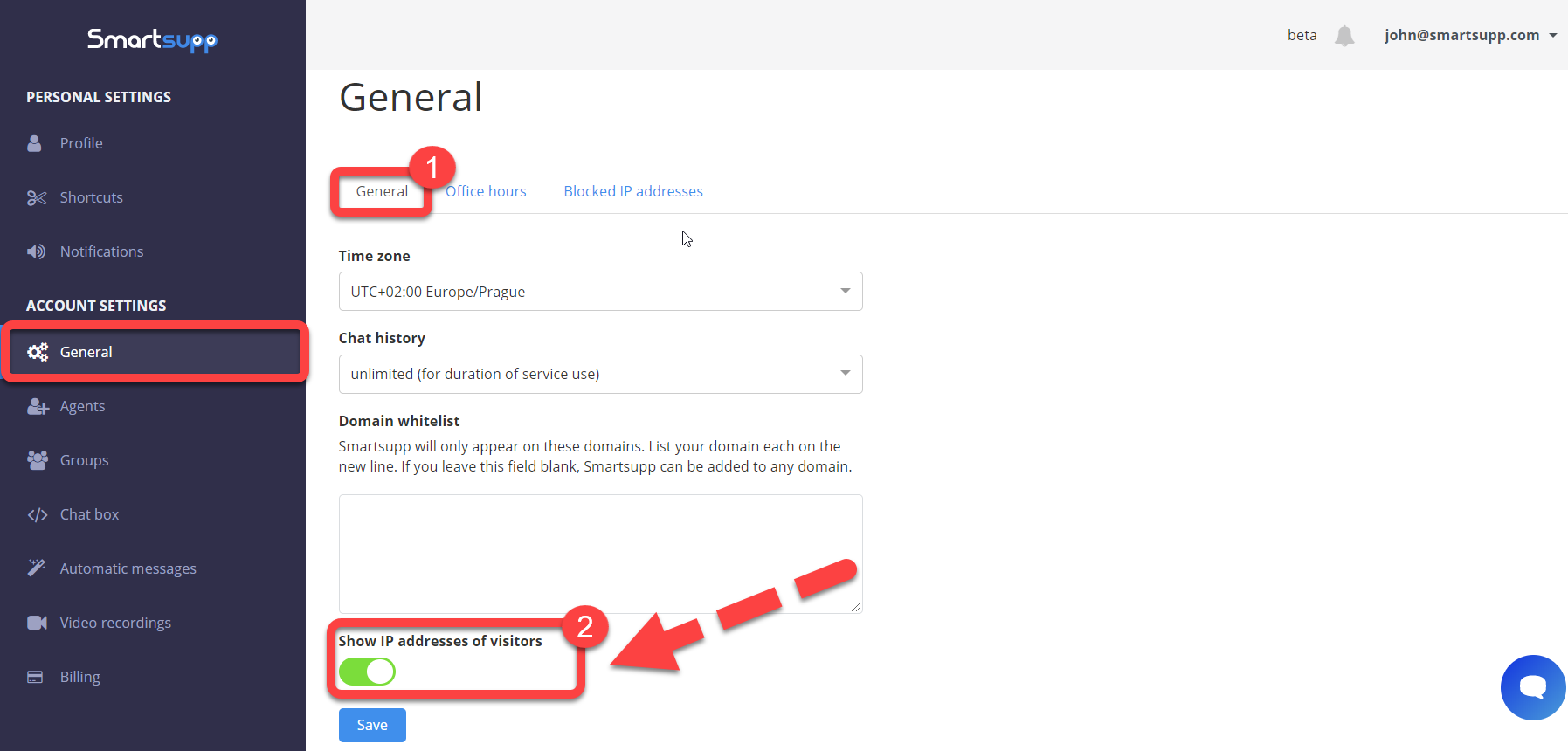
After you enable the “Show IP addresses of visitors” option, just refresh the dashboard, and you’ll see the IP addresses of visitors in the visitor info tab.

⚠️ Note: With IP tracking enabled, you process additional personal data about your visitors. Make sure this is covered by your privacy policy and that you have a valid legal basis for it.
💡 Tip: IP tracking also needs to be enabled if you want to block visitors by their IP address.
What's next?
Block visitor — how to block an unwanted visitor.
Data privacy & GDPR — how Smartsupp handles personal data and GDPR.
Visitors — see who is on your website right now.